
Customizing Your Dashboard with Widgets
Your Mind Gains dashboard displays customizable widgets showing real-time market data, scans, signals, and calls. Build a workflow that matches your trading style.
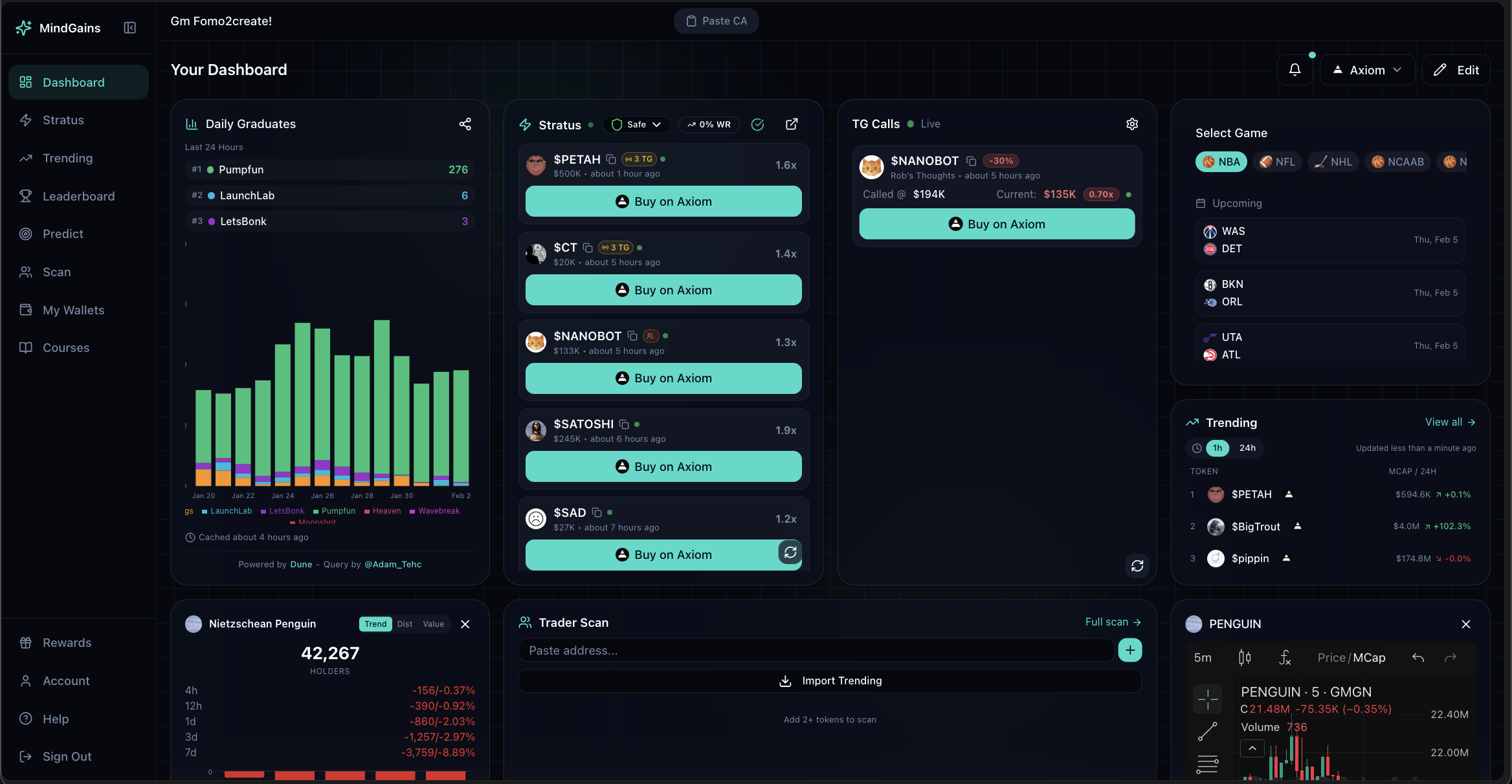
Available Widgets
Click Add Widget on your dashboard to browse all available widgets:
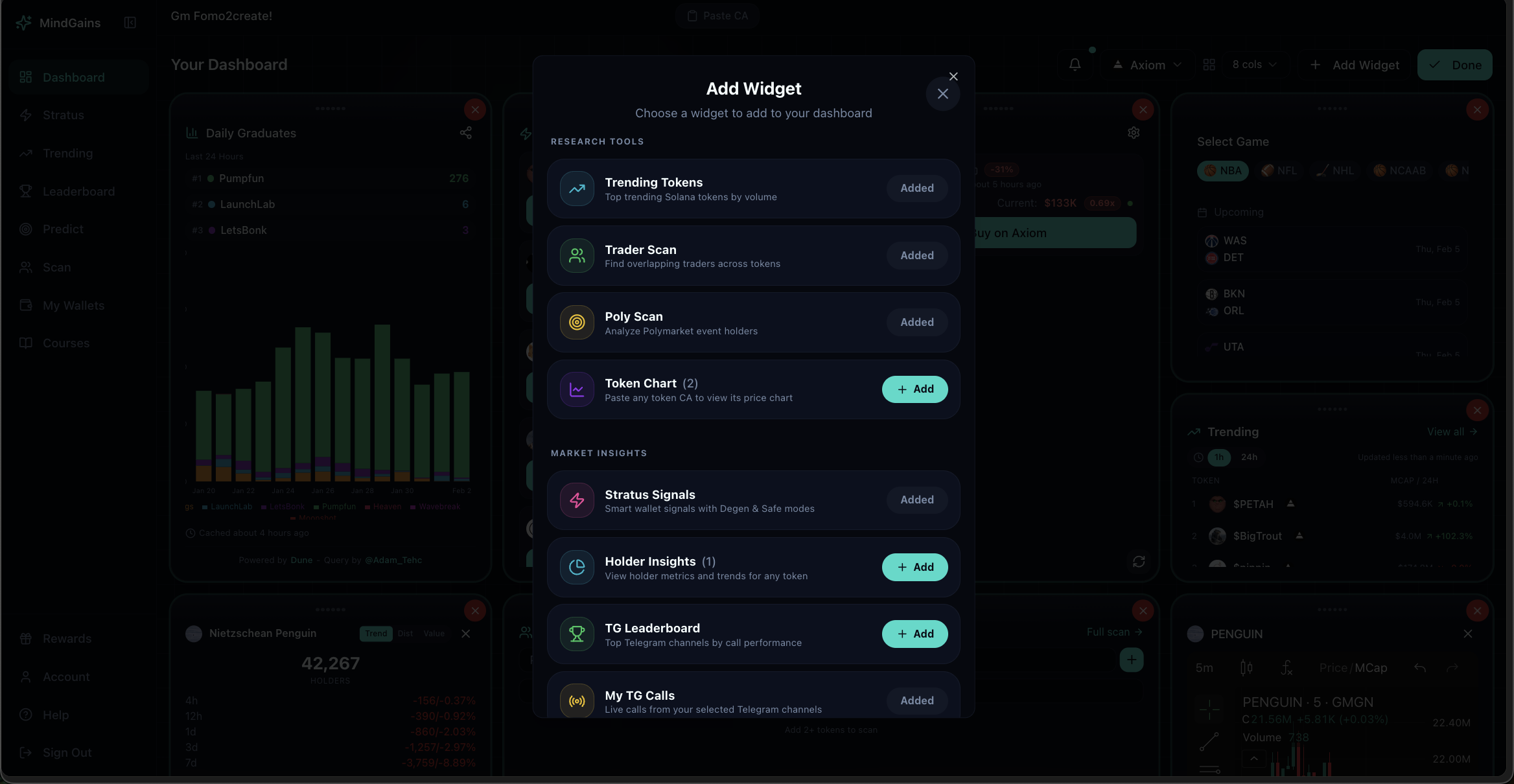
Research Tools:
Trader Scan: Token scanner on your dashboard
Poly Scan: Polymarket holder scanner
Holder Insights: Real-time holder distribution
Token Chart: Price chart widget
Market Insights:
Trending Tokens: Top Solana tokens by volume
Stratus Signals: Live smart wallet buy signals
TG Calls Live: Live Telegram channel calls
TG Leaderboard: Top performing callers
My TG Calls: Calls from your favorited channels
Daily Graduates: Tokens graduating to higher tiers
Prediction Markets:
Select Game: Sports games and prediction markets
Free users can add up to 4 widgets. Pro members get unlimited widgets with full customization.
Adding Widgets
Click Add Widget on your dashboard
Browse categories or search for a specific widget
Click the widget to add it
The widget appears on your dashboard instantly
Widgets marked "Added" are already on your dashboard. Remove them first if you want to rearrange.
Customizing Layout (Pro)
Pro users on desktop can customize dashboard layout:
Drag widgets: Click and hold to reposition
Resize widgets: Drag corners to adjust size
Remove widgets: Click the X on any widget
Click Edit to enter customization mode, then Save when done.
Mobile users can add and remove widgets but cannot drag or resize due to screen constraints.
Widget Actions
Most widgets include quick actions:
View full tool: Click "Full scan" or "View all" to open the complete page
Copy data: Copy wallet addresses, token CAs, or export results
Quick trade: Buy buttons link directly to trading platforms
Channel Selection for TG Widgets
For TG-related widgets, you can select which Telegram channels to display:
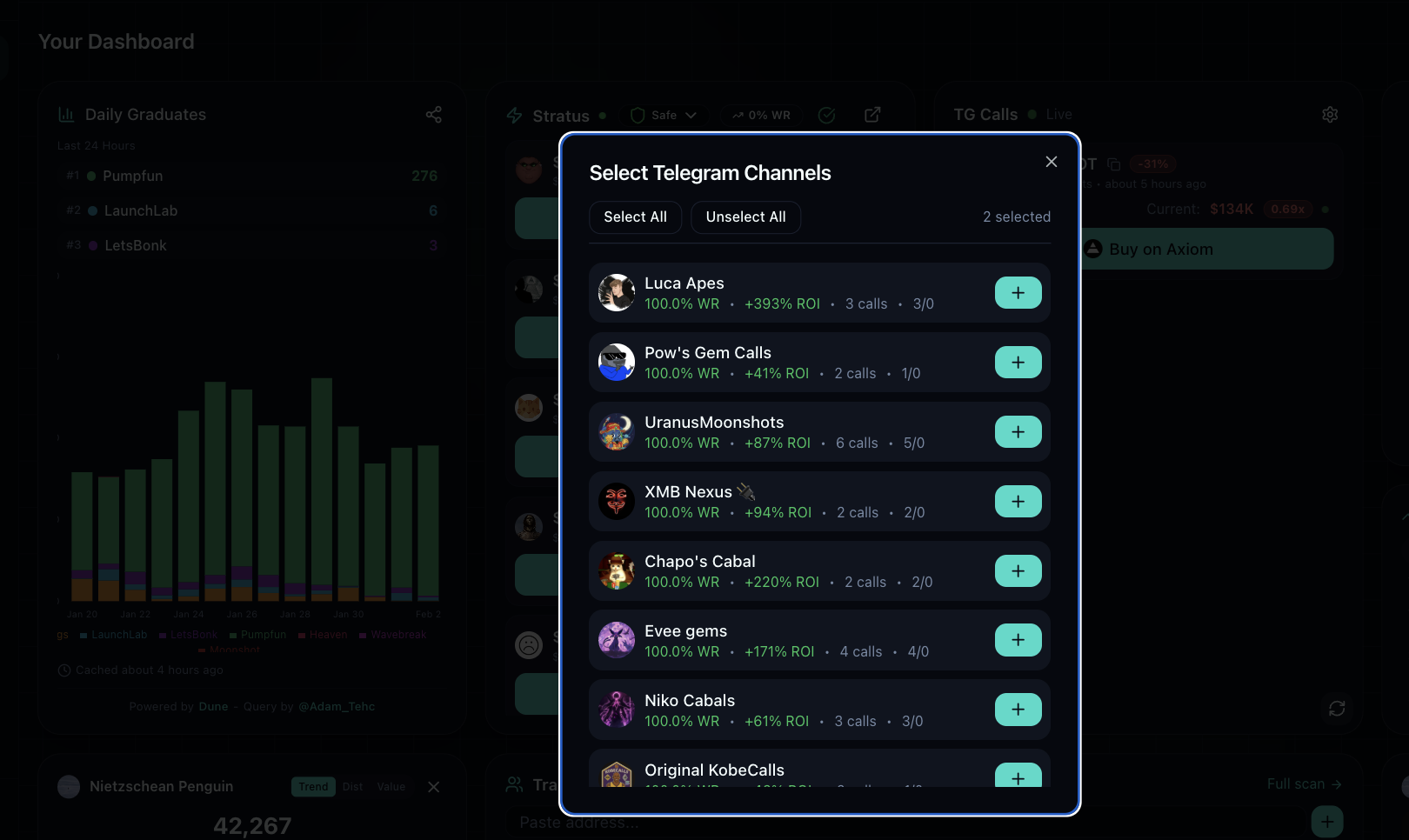
Click the + button next to channels you want to track. The widget will show calls and performance data only from your selected channels.
Free vs Pro
Free: 4 widgets max, no drag/resize customization Pro: Unlimited widgets, full drag/resize control on desktop